

Noctalia
quiet by design


A sleek and minimal desktop shell thoughtfully crafted for Wayland, built with Quickshell.
Features a modern modular architecture with a status bar, notification system, control panel, comprehensive system integration, and more — all styled with a warm lavender palette, or your favorite color scheme!
Preview
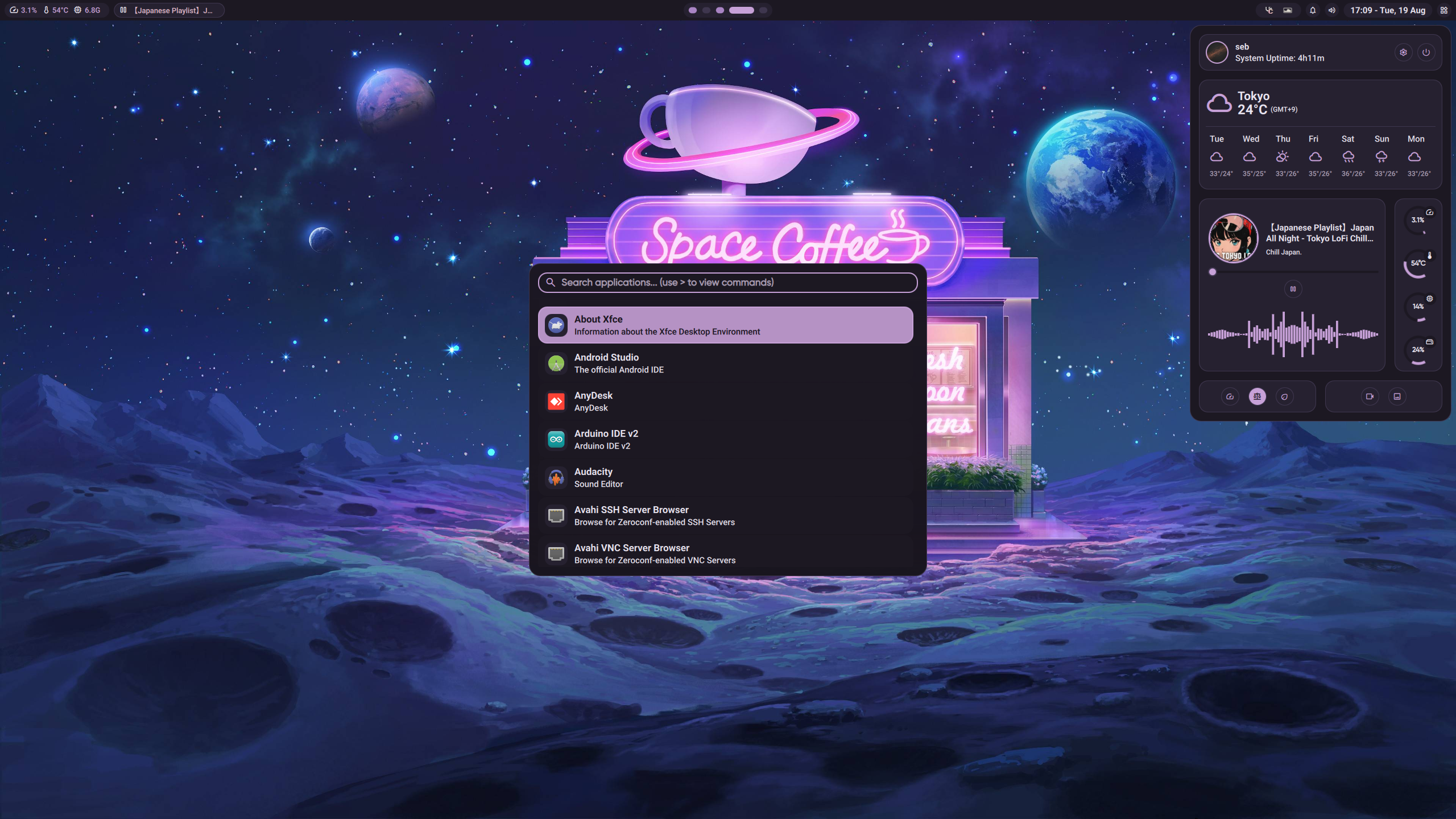
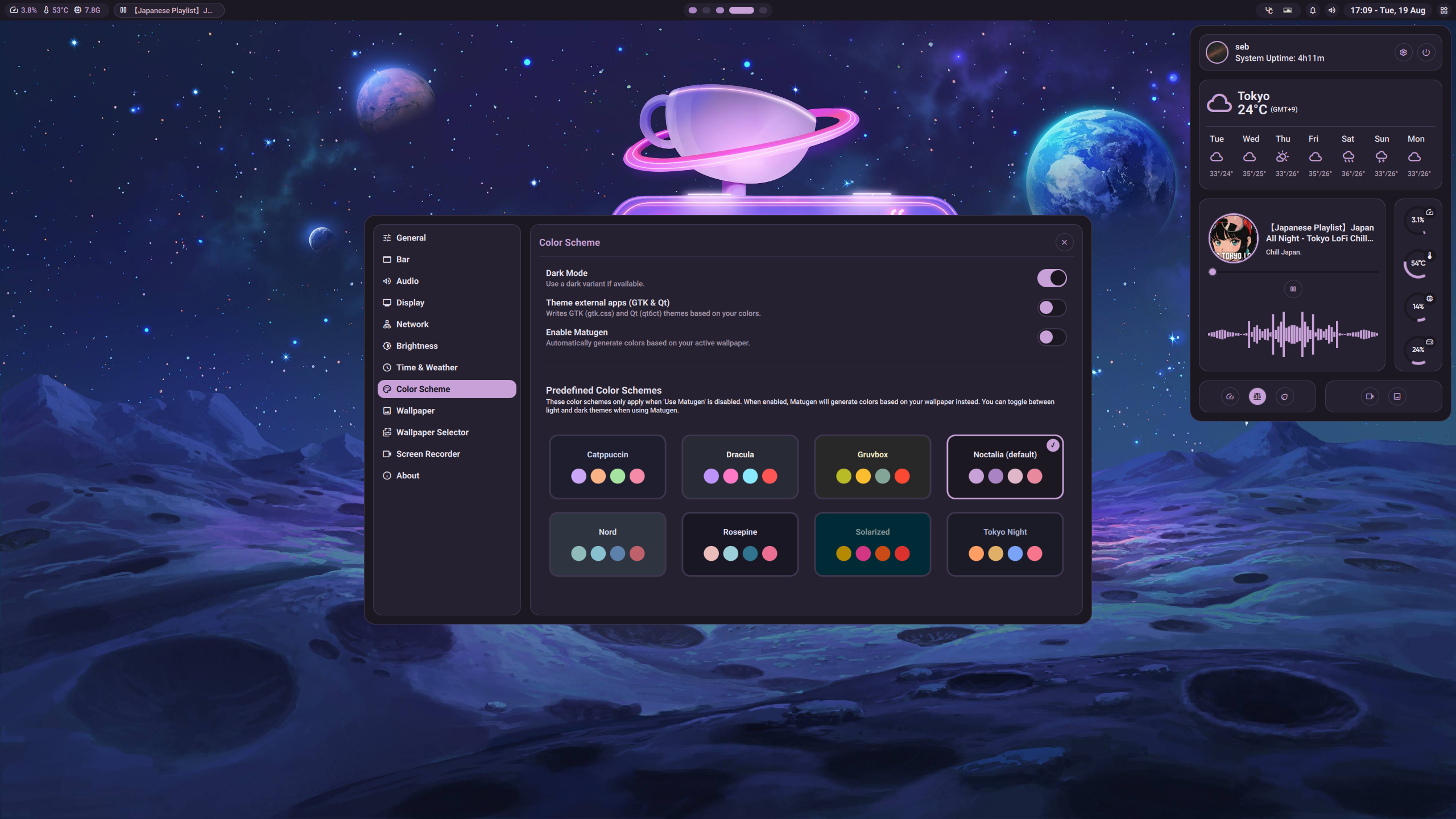
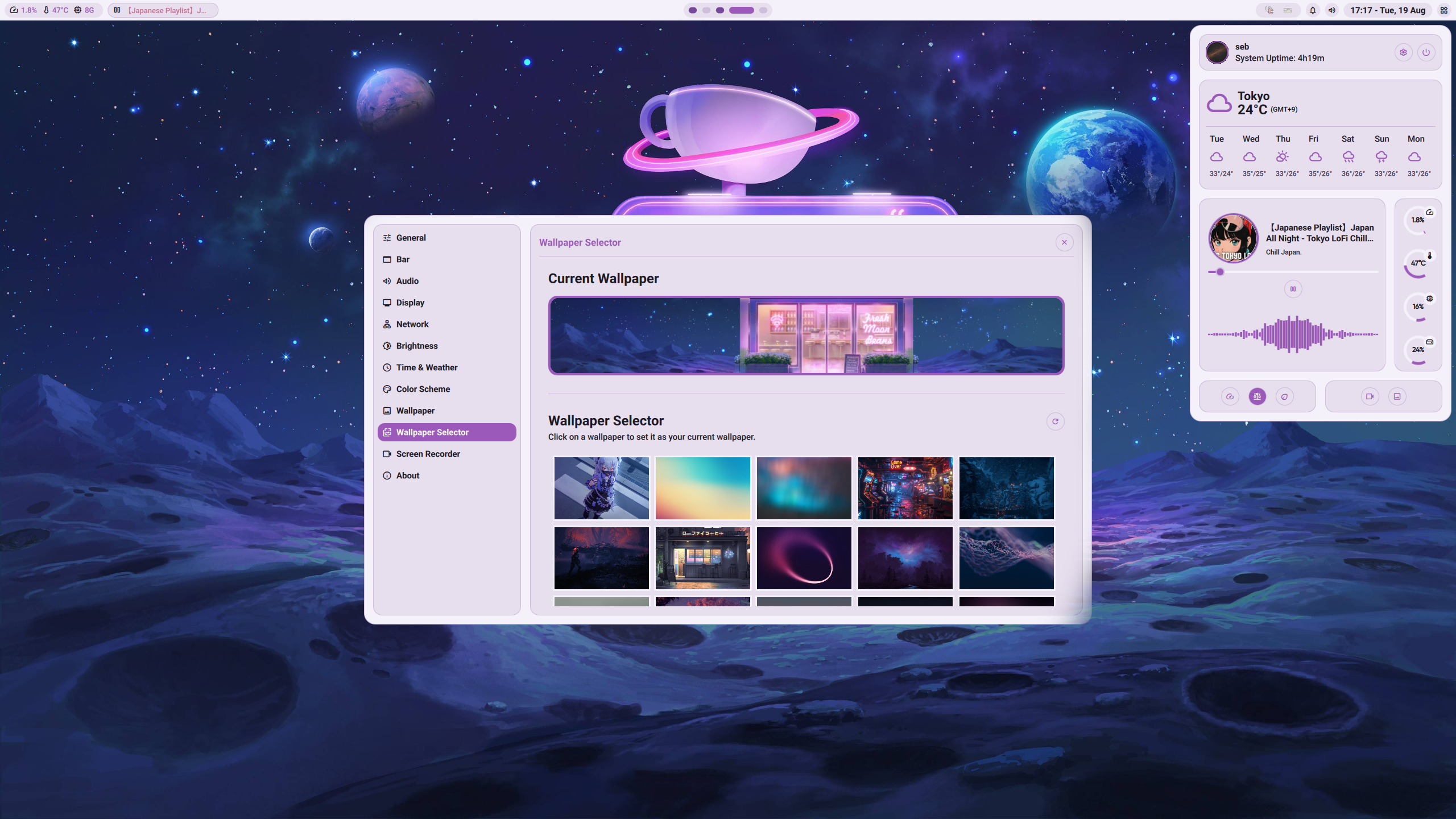
⚠️ Note:
This shell currently supports Niri and Hyprland compositors. For other compositors, you will need to implement custom workspace logic in the CompositorService.
Features
- Status Bar: Modular bar with workspace indicators, system monitors, clock, and quick access controls.
- Workspace Management: Dynamic workspace switching with visual indicators and active window tracking.
- Notifications: Rich notification system with history panel.
- Application Launcher: Stylized launcher with favorites, recent apps, and special commands (calc, clipboard).
- Side Panel: Quick access panel with media controls, weather, power profiles, and system utilities.
- Settings Panel: Comprehensive configuration interface for all shell components and preferences.
- Lock Screen: Secure lock experience with PAM authentication, time display, and animated background.
- Audio Integration: Volume controls, media playback, and audio visualizer (cava-based).
- Connectivity: WiFi and Bluetooth management with device pairing and network status.
- Power Management: Battery monitoring, brightness control, and power profile switching.
- System Monitoring: CPU, memory, and network usage monitoring with visual indicators.
- Tray System: Application tray with menu support and system integration.
- Background Management: Wallpaper management with effects and dynamic theming support.
- Color Schemes: Catppuccin, Dracula, Gruvbox, Noctalia, Nord, Rosépine, Solarized, Tokyo night or generated from your wallpaper.
- Scaling: Per monitor scaling for maximum control.
Dependencies
Required
quickshell-git- Core shell frameworkttf-roboto- The default font used for most of the UIinter-font- The default font used for Headers (ex: clock on the LockScreen)ttf-material-symbols-variable-git- Icon font for UI elementsxdg-desktop-portal-gnome- Desktop integration (or alternative portal)
Optional
cliphist- For clipboard history supportswww- Wallpaper animations and effectsmatugen- Material You color scheme generationcava- Audio visualizer componentgpu-screen-recorder- Screen recording functionalitybrightnessctl- For internal/laptop monitor brightnessddcutil- For desktop monitor brightness (might introduce some system instability with certain monitors)
Quick Start
Installation
# Install Quickshell
yay -S quickshell-git

# Download and install Noctalia (latest release)
mkdir -p ~/.config/quickshell && curl -sL https://github.com/noctalia-dev/noctalia-shell/releases/latest/download/noctalia-latest.tar.gz | tar -xz --strip-components=1 -C ~/.config/quickshell
Usage
# Start the shell
qs

# Toggle launcher
qs ipc call appLauncher toggle

# Toggle lock screen
qs ipc call lockScreen toggle
Keybinds
| Action | Command |
|---|---|
| Toggle Application Launcher | qs ipc call appLauncher toggle |
| Toggle Lock Screen | qs ipc call lockScreen toggle |
| Toggle Notification History | qs ipc call notifications toggleHistory |
| Toggle Settings Panel | qs ipc call settings toggle |
| Increase Brightness | qs ipc call brightness increase |
| Decrease Brightness | qs ipc call brightness decrease |
Configuration
Access settings through the side panel (top right button) to configure weather, wallpapers, screen recording, audio, network, and theme options.
Configuration is usually stored in ~/.config/noctalia
If you upgrade from v1, you can delete the old configuration folder at ~/.config/Noctalia (with capital N)
Application Launcher
The launcher supports special commands for enhanced functionality:
>calc- Simple mathematical calculations>clip- Clipboard history management
Theme Colors
| Color Role | Color | Description |
|---|---|---|
| Primary | #c7a1d8 |
Soft lavender purple |
| On Primary | #1a151f |
Dark text on primary |
| Secondary | #a984c4 |
Muted lavender |
| On Secondary | #f3edf7 |
Light text on secondary |
| Tertiary | #e0b7c9 |
Warm pink-lavender |
| On Tertiary | #20161f |
Dark text on tertiary |
| Surface | #1c1822 |
Dark purple-tinted surface |
| On Surface | #e9e4f0 |
Light text on surface |
| Surface Variant | #262130 |
Elevated surface variant |
| On Surface Variant | #a79ab0 |
Muted text on surface variant |
| Error | #e9899d |
Soft rose red |
| On Error | #1e1418 |
Dark text on error |
| Outline | #4d445a |
Purple-tinted outline |
| Shadow | #120f18 |
Deep purple-tinted shadow |
Advanced Configuration
Niri Configuration
Add this to your layout section for proper swww integration:
background-color "transparent"
Recommended Compositor Settings
For Niri:
window-rule {
    geometry-corner-radius 20
    clip-to-geometry true
}

layer-rule {
    match namespace="^swww-daemon$"
    place-within-backdrop true
}

layer-rule {
    match namespace="^quickshell-wallpaper$"
}

layer-rule {
    match namespace="^quickshell-overview$"
    place-within-backdrop true
}
Development
Project Structure
Noctalia/
├── shell.qml              # Main shell entry point
├── Modules/               # UI components
│   ├── Bar/              # Status bar components
│   ├── Dock/             # Application launcher
│   ├── SidePanel/        # Quick access panel
│   ├── SettingsPanel/    # Configuration interface
│   └── ...
├── Services/             # Backend services
│   ├── CompositorService.qml
│   ├── WorkspacesService.qml
│   ├── AudioService.qml
│   └── ...
├── Widgets/              # Reusable UI components
├── Commons/              # Shared utilities
├── Assets/               # Static assets
└── Bin/                  # Utility scripts
Contributing
- Follow the existing code style and patterns
- Use the modular architecture for new features
- Implement proper error handling and logging
- Test with both Hyprland and Niri compositors (if applicable)
Contributions are welcome! Don't worry about being perfect - every contribution helps! Whether it's fixing a small bug, adding a new feature, or improving documentation, we welcome all contributions. Feel free to open an issue to discuss ideas or ask questions before diving in. For feature requests and ideas, you can also use our discussions page.
💜 Credits
A heartfelt thank you to our incredible community of contributors. We are immensely grateful for your dedicated participation and the constructive feedback you've provided, which continue to shape and improve our project for everyone.
Acknowledgment
Special thanks to the creators of Caelestia and DankMaterialShell for their inspirational designs and clever implementation techniques.
Donation
While I actually didn't want to accept donations, more and more people are asking to donate so... I don't know, if you really feel like donating then I obviously highly appreciate it but PLEASE never feel forced to donate or anything. It won't change how we work on Noctalia, it's a project that we work on for fun in the end.

Thank you to everyone who supports me and this project 💜!
- Gohma
License
This project is licensed under the terms of the MIT License.